
What generative AI is, in simple words
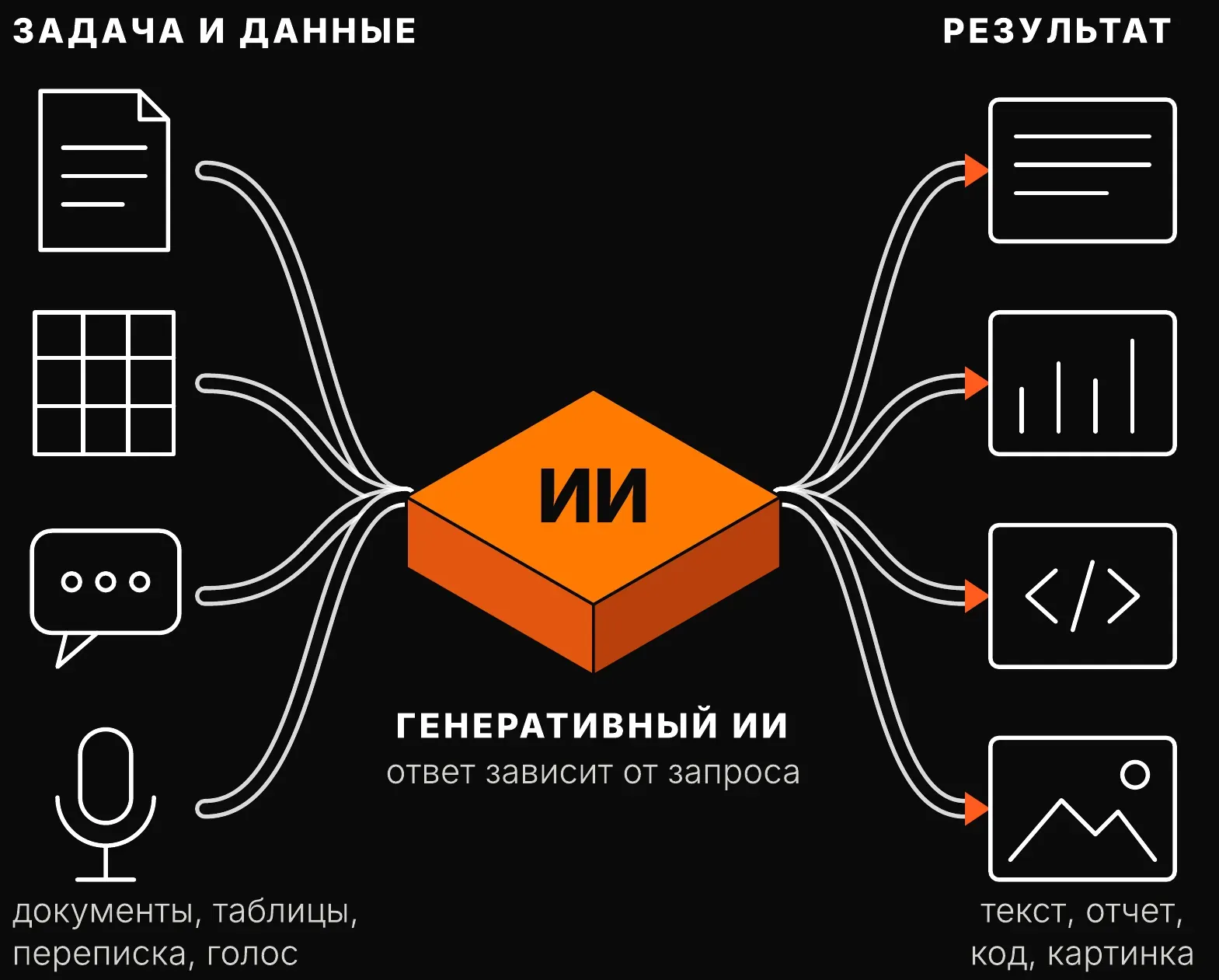
Generative artificial intelligence doesn’t look up a ready answer; it creates a new one: an email, a report, a table, a piece of code or an image. As input, the model takes a task and materials: documents, tables, correspondence, voice.
The answer depends on the request. Ask it to “write an email to a client” and the model gives a template; give it the goal, the facts and an example of the tone, and it gives an email you can send.
Generative AI for business is a helper that speeds up work with text and numbers. In a 2023 NBER study, support agents with an AI helper became 14% more productive on average, and newcomers 34%.
Where such a model sits among other kinds of AI in a company is shown on the page about how AI works.
Why answers turn out weak
Answers are weak because staff don’t know how to set a task for AI. They write a request as if into a search engine, with no goal, context or example, and get generic text.
1. No goal: the model doesn’t know who the text is for and what will be done with it.
2. No context: the model doesn’t see the contract, the price list or past correspondence.
3. No check: the first answer is pasted into the work, and the client finds the error.
It’s not about the technology. By BCG’s estimate, about 70% of AI adoption difficulties come from people and processes, 20% from technology and only 10% from algorithms.
A subscription without the skill brings a couple of failed attempts, after which work goes back to the old way. Why staff don’t use AI after the purchase is covered separately.
Out of 10 tasks on the first request: before and after training
In our projects, staff solve 2 of 10 tasks (20%) on the first request before training and 9 of 10 (90%) after it.
“On the first request” means without a series of clarifications and redos. Each redo costs the employee time, and when the task is set poorly, doing the work by hand is often faster.
The diagram below shows what changes. The input is the same: documents, tables, correspondence. The model is the same. The result is different because the task is set differently.
These are data from our projects, not an outside study: in another company and on other tasks the numbers will differ.
Out of 10 tasks, solved on the first request:
- Before training2 of 10
- After our training9 of 10
What we teach
- 1Set the task and give contextgoal, role, answer format and an example
- 2Connect your own data and templatescompany documents instead of the model’s general knowledge
- 3Check the answer and build it into workfacts, numbers and an owner for the result
Data from our projects
Your own data and templates
A model without your data writes generic words. With the contract, the price list and the company rules at hand, it answers to the point, with your numbers and wording.
A template saves the effort of setting the task. A good request for a standard email, report or sales proposal is saved, and the team takes it ready-made instead of writing it each time.
Which data you may give the model is decided before the work starts. Clients’ personal data and trade secrets must not go to a foreign service: they need AI in a closed network, on your servers or in a Russian cloud.
These rules go into the AI use policy in the company: what is allowed, what is not, and who is responsible.
How to check an answer
You check an answer the way you check the work of a new employee: by the source, the numbers and the consequences. The model writes confidently even when it is wrong.
Research confirms this. In a 2023 experiment by Harvard Business School and BCG, consultants with AI did work of 40% higher quality, but made more mistakes on tasks beyond what AI could do.
What to check in every answer:
1. Check numbers and dates against the source.
2. Open and read the links to documents and laws.
3. Conclusions that go to a client or a manager are checked by the person responsible for them.
Where an error is costly, the model’s answer stays a draft and a person makes the decision. How to lower the risk and who is responsible is covered on the page about AI errors in business.
The first step is free: in a 30-minute review we’ll show on which of your teams’ tasks AI will deliver results, and what your staff need to learn first.